The Ultimate List Of Broadcast Journalism Terms

The Ultimate List of Broadcast Journalism Jobs

The amount of technical jargon in the world of journalism—often even for very simple concepts—is notorious, and even if you’ve spent a few years at broadcast journalism school there will still be terms that’ll inevitably mystify you when starting your career.

But fret not! Below you’ll find a glossary of the most common broadcast journalism terms, as well as definitions for the most confusing and ambiguous lingo still used today:

Common Broadcast Journalism Terms & Slang

Advocacy Journalism – In which the reporter or journalist openly declares their stance on an issue while attempting to espouse it with factual reporting.

Active Proceedings – Any ongoing judicial case in which the activities of journalists may impede or subvert the proceedings, typically spanning between the arrest of a suspect and sentencing. Those who contravene reporting restrictions on active proceedings may be held in contempt of court.

Actuality – Sometimes shortened to “act.” Any audio recording taken outside of the studio on location (typically referred to as a sound bite in radio; see below.)

Anchor – News anchors are responsible for presenting stories on-camera, usually from a studio location though work can take place in the field. See our broadcast journalism jobs page for more info on the different professions within the field.

AP Stylebook – The Associated Press Stylebook, commonly adhered to as the industry standard on formatting and word usage in news writing.

A-Roll – The main portion of audio video footage in a news story.

Aston – An increasingly uncommon term for the strap line, more popularly known in broadcast journalism as the lower third (see below)

Attribution – The written phrase that identifies the source of a fact, opinion, or quote in a story.

Back Timing – The practice of rehearsing the final segment of a news broadcast and timing it; during the live broadcast, the director may then speed up or slow down this segment to coincide with the scheduled finishing time of the program.

Backgrounder – A story used to provide history and context to a current news story.

Beats – The areas of expertise in which a journalist or reporter covers on a regular basis and on an in-depth level, such as politics, health, or law enforcement.

Beat Checks – A list of established contacts that a beat reporter will frequently touch base to find or develop a story. These could include the local law enforcement agency, city council, hospital, or other sources.

Blind Interview – More common in print than in broadcast journalism, a blind or off-the-record interview is one in which the interviewee is intentionally left unaccredited (also known as a non-attributable.)

Bridge – An audio track linking between two news items.

Breakbumper – A short (2-10 second) indent used as filler leading into and out of commercial breaks. Often shortened to “bump,” but not to be confused with the verb of the same name (to bump a story is to place it higher or lower on the scale of priority.)

B-Roll – Supplementary material to complement the A-Roll, such as establishing shots or graphical overlays.

Chroma Key – Also known as green screening. See this post for further information.

Chyron – The words on the screen that identify speakers, locations, or story subjects. Chryon is a trade name for a type of character generator. 

Citizen Journalism – Reporting which takes place outside of what is usually considered mainstream media, predominantly carried out by members of the public without formal training. Can include the work of bloggers and social media platforms.

Closed-Ended Question  A direct question intended to elicit a yes-or-no answer as opposed to an open-ended question intended to encourage a lengthy answer.

Cold Copy – News script not previously read by the reporter until the camera is rolling. Sometimes referred to by the slang term “rip n’ read.”

Cold Open – Any type of video which rolls before the camera cuts to the anchors, usually featuring a voice over and ending on a form of cliffhanger.

Correspondent – A reporter who files stories from outside the newsroom—usually someone assigned to cover events in another city, state, or country.

Crawl – AKA the news ticker, a thin bar of scrolling text which informs viewers of any upcoming breaking news or weather alerts.

Cutaway – A shot of something other than the main action of an action sequence. In an interview, the cutaway is usually a shot of the reporter listening as the source talks. Necessary to maintain continuity and avoid jump cuts.

Dateline – The specific location where a reporter is delivering a story. Usually announced in the sign-out or sign-off.

Donut – A produced news package with a live shot, with a live intro, and tag.

Downcut – Chopping off the end of a story or sound bite. Opposite of upcut.

Effort – A verb in newsrooms, as in “I am efforting that package to have it ready for tonight’s broadcast.”

Feature – A non-breaking news story on people, trends, or issues. A feature story isn’t necessarily related to a current event.

Feed – A satellite or microwave transmission of live or recorded material.

Follow-Up – A story updating or supplying additional details about an event that’s been previously covered.

Fullscreen Graphic or FS – A still or animated image, usually computer generated, that takes up the whole screen.

Happy Talk – Casual, informal, and light-hearted chatter between the anchors. Can be used as a form of bumper.

Hard News – The news of the day. Factual coverage of serious, timely events (crime, war, business, politics, etc.)

Hit or Glitch – Any distortion or technical distraction in video or audio.

Hot or Overmodulated – Either too loud (hot audio) or too bright (hot video). Engineers often say that hot video “blooms” on screen.

Hot Roll – When a crew in the field doesn’t have enough time to feed back footage to the newsroom, so they must roll it live from the truck during the broadcast.

Human Interest – A news story focusing on a personality or individual’s story with wide appeal to a general audience.

IFB or Interrupt Feedback – The earpiece through which a director or producer instructs a correspondent in the field or anchor in the studio. The producer interrupts whatever feedback the reporter is getting in the earpiece.

Join in Progress (JIP) – A direction to the control room to cut to a broadcast already in progress.

Jump Cut – An edit in a news package that interrupts continuity. Example: an interviewee speaking followed immediately by another shot of the same interviewee speaking at a different time, so the image “jumps.” Avoided by using cutaways or b-roll.

Kicker – A light story that ends a newscast.

Lead – The key information of the story, usually presented at the beginning of the segment. Not to be confused with the “lead story,” being the first presented in the broadcast and often the highest in priority (confusingly also referred to as the “lead.”)

Leading Questions – Questions intended to steer an interviewee in a particular direction.

Lip Flap – Video of somebody talking, with the audio portion muted. Happens when using video of people being interviewed as B-roll. Avoid it.

Live – Put on the air in real time, not pre-recorded or pre-produced.

Lower Third – The bottom third of the frame containing text information regarding the current story, the anchors’ or interviewee’s identification, and other relevant captions.

Miscue – An error in which footage or audio is played before its intended time, resulting in overlapping elements in the broadcast.

MOS – An acronym for “man on street” interview, in which a reporter on location gets spontaneous sound bites comprised of reactions to a story from members of the public. Also referred to as “vox populi.

NATSOT or NAT Package – A type of pre-produced package that has no reporter track; the only audio is the natural sound of the video being shown. It may also use interview sound bites. Often used to convey the mood or atmosphere at a scene or an event.

NAT Sound – Natural sound on video that the microphone picks up. Example: Including sound of a rally with video of a rally.

News Envelope – A summary segment in which the main headlines are broadcast in brief (around a minute or less.) May have local or national sponsorship.

OC or On Cam – Abbreviation for “on camera.”

On Camera Bridge or OC Bridge – The reporter appearing on camera in the middle of the story. Used for transition between voiceovers or soundbites, or when there is no video to talk over.

Open-Ended Question – A question phrased in a way that encourages a source to give a lengthy, in-depth answer—as opposed to a closed-ended question designed to elicit a yes/no answer.

Outcue – The final three or four words of a news package, included in scripts to signal to the anchor and control room staff when the package is about to end so they can cue the next element in the program.

Over the Shoulder Graphic or OTS or OC Box – A graphic that appears over the anchor’s shoulder.

Package (sometimes Wrap) – A pre-recorded, pre-produced news story, usually by a reporter, with track, sound, B-roll, and possibly a stand-up.

POV or Point-of-View Shot – B-roll shot from the perspective of the subject, illustrating what the subject sees or saw at a given moment.

Production Element – Any piece of audio which is intended for use within the final mix, i.e. jingles, music, sound effects, and other station-specific audio.

Promo – Promotional announcement. In effect, an advertisement for a program a station or channel is carrying.

Pronouncer – Phonetic spelling of word in story, placed in copy behind correctly spelled word.

PSA – Abbreviation for “Public Service Announcement.”

Raw Video – Unedited video, just as it was shot. Also called field video.

Reader – A script read entirely by the anchor on camera, without sound bites or video.

Remote – A live shot from the field, where a satellite truck is required to transmit the image.

Rundown – An electronic or paper form created by the line producer of a news broadcast. Gives specific details of every element in a newscast, including the order of stories, video, audio, and graphic elements and timing for each.

ROSR – Radio On Scene Report. Audio broadcast from the scene of a breaking news story, or shortly in the wake of recent events.

Rundown – An electronic or paper form created by the line producer of a news broadcast. Gives specific details of every element in a newscast, including the order of stories, video, audio and graphic elements and timing for each.

Sidebar – A small story, graphic, or chart accompanying a bigger story on the same topic.

Sign Off, Sig, Sig Out – Reporter giving name and dateline at the end of a package or report.

Slate – A full-screen graphic, shown on screen before the beginning of pre-produced video which identifies the story title, the reporter’s name, and the total running time. Only for newsroom use; not meant for broadcast.

Slug – The name given to a story for newsroom use.

SOT or Sound Bit – “Sound on Tape.” A recorded comment, usually audio and video, from a news source other than the anchor, narration, or voiceover, played during a news story. Usually an edited portion of a larger statement.

Spot – A commercial.

Stacking – Lining up stories within a newscast based on their important and relationship to one another.

Stagger-through – A full rehearsal of the show.

Standup – A reporter speaking to camera, not covered by video.

Studio (in the) – A story updating or supplying additional details about an event that has been previously covered.

Still – A still image as opposed to a moving video image. Stills can be used to illustrate a story and can sometimes be displayed over track or interview clips instead of video footage.

Sting  A brief piece of music, typically less than fifteen seconds, used to punctuate the end of a segment or story. The sting is often the station’s own jingle. 

Stop Set  The time allotted to any commercial breaks within the broadcast.

Survey Week, Sweeps Week – The week in which a station’s viewership is monitored and rated.

Switch – An instruction given to the control room to cut to another camera or video source.

Tag – A paragraph at the end of a news story, usually delivered by the anchor, that provides additional information or sums up the item.

Tease  A short description of an upcoming story designed to keep the viewer watching through commercial breaks.

Tight on – A direction to the camera crew to zoom in on a subject so that they fill the shot (e.g. “Tight on anchor/guest.”)

Time Code – The time signature on a camera or recording device—actual time a story is being shot on a 24-hour basis, i.e., 1300 is 1 p.m., 0900 is 9 a.m. Includes hours, minutes, seconds, and video frames.

Toss – When an anchor or reporter turns over a portion of the show to another anchor or reporter.

Track – The reporter’s written and recorded script in a news package.

Tracking – The act of recording a script.

TRT – “Total running time.” The length of an edited package.

Two-Shot – Most often an interview guest and the back of the reporter’s head. Also used to refer to any shot including two people; two anchors at a single news desk, for instance.

Upcut – Chopping off the beginning of the audio or video of a shot or video story. Opposite of downcut.

Video Journalist or VJ – A reporter who shoots his or her own video and may even edit it. Also referred to as a “Multimedia Journalist.”

Videographer – A name for a photographer or cameraperson.

VO or Voiceover – “Voiceover” followed by “sound on tape.” A news script, usually read live, that includes video, track, and at least one sound bite.

VOSOT – “Voiceover” followed by “sound on tape.” A news script, usually read live, that includes video, track, and at least one sound bite.

Watermark – A semi-transparent graphic, usually the station’s logo, placed in one corner of the broadcast feed.

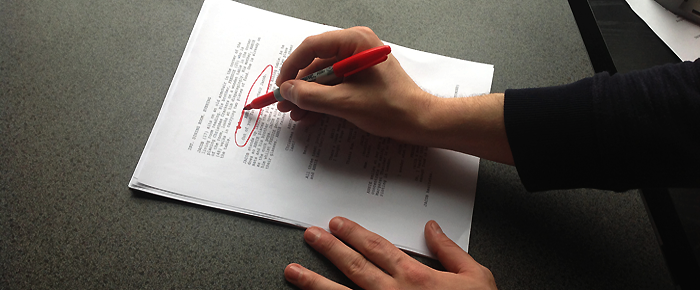
Woodshedding – The practice of annotating a news script to denote which words should be spoken with emphasis.

Know of any other terms which should be included here? Any that are still causing confusion and warrant further explanation? Head on down to the comments and let’s make the murky world of broadcast journalism terms a little clearer!

[su_note]With 4-week, 8-week, and 12-week intensive, hands-on programs, our Broadcast Journalism programs offer students and introduction to the fundamentals of creating, producing, and editing digital news. Learn more about our programs on the Broadcast Journalism School page.[/su_note]


Journalism Jobs In The News Department Beyond The Control Room

Producers frequently do many of the same tasks as reporters—they come up with story ideas, and in some cases do the legwork of setting up interviews or chasing down leads. They’re also usually responsible for “stacking the show”—putting the stories for a broadcast in order, starting with the A block. This means deciding what to lead with—what was the biggest story of the day, or overnight if you’re working on a morning show. You will also have to decide how much time to devote to each story.

Producers’ duties can vary from one station to another, with larger stations having more producers, sometimes with different titles. Smaller stations (where many journalists start their careers after graduating) usually just have one producer per newscast. In these small-market stations, one producer may be responsible for the morning show, another for the five and six o’clock casts, and another for the ten o’clock news. (Again, this varies depending on the station—in some stations, one person may be responsible for all three evening newscasts, while another handles the morning and noon news.)

Field producers often go out with a photographer, gather facts, and interview subjects for the story while standing off-camera. Depending on the size of the station and how busy other staff members are, he or she may even go out alone, set up the camera, and record video in a pinch. The same is also true at the network level, where nationally known correspondents often arrive on scene after a field producer has already begun the process of assembling a story.  This is a good assignment if you like interviewing and chasing down stories, but don’t want the pressure of appearing in live shots or spending a lot of time fixing your hair and makeup every day.

If they’re not in a field position, most producers spend their time at the station, generating story ideas, monitoring the reporters’ work on those stories, and stacking the show.

Producers and reporters both usually report to the assignment editor, someone who monitors everything going on (including following the police scanner) and determines what stories to pursue. Often the assignments editor will give the producer a general assignment—“Give me five ideas for election coverage,” for example—and the producer will decide on a specific approach—the five angles, who covers them, when they run, etc. Producers and reporters sometimes move up to the assignments editor position after multiple years of experience.

Producing can be an ideal position for someone who wants to be a reporter but doesn’t want to be on-air. Good qualities for this job include multi-tasking, organizational skills, and the ability to work under a tight deadline. If you think producing is right for you, you’ll also need some of the same qualities as a reporter—being friendly, personable, and able to talk to a wide variety of people.

Photojournalism

Not everyone is a “people person.” Photojournalism is a good career choice for those who are interested in journalism, but aren’t comfortable talking to a lot of strange people every day.

In television news, a photographer is usually assigned to go out with a reporter and capture video and audio of the story. While the reporter usually does most of the talking and tries to get the subject to open up, the photographer has an equally important job: Finding a visual way to tell the story.

This is not a job for someone who just wants to set up the camera and pay no attention to the news topic. Your job as a photographer is to understand the story, the angle the reporter is going for, related issues, etc. That way you can seek out shots that help tell the story.

A photographer’s job can be critical to producing a package that not only tells the facts, but makes viewers care. Yes, the reporter will do everything in his or her power to get the interviewee to open up and say something with emotional impact. But sometimes even the most skilled journalist can’t get a subject to say anything beyond a rote recitation of facts. Yes, you can complete the assignment that way, but whenever possible, you want to present something viewers will relate to on an emotional level.

This is where the photographer comes in. If you’re paying attention, you might get a shot of something in the interviewee’s office or home that tells us more about that person than he or she ever would. Maybe the police chief has the picture of a missing child whose case has been unsolved for twenty years on her desk. That tells us more about the kind of difficulties the chief faces in her job, and her determination to solve the crime even after many years, than she would probably tell a reporter in a standard interview about the department’s new software program to help find missing kids.

It’s important that the photographer and reporter work together as a team. Sometimes the photographer notices things the reporter misses because he or she is busy trying to make eye contact with the interview subject. Just because your job isn’t to interview, doesn’t mean you can’t ask the occasional question, or point something out to the reporter. Sometimes a casual questoin like, “Hey, that’s an interesting picture, where was it taken?” can bring a new angle to the reporter’s attention, and get the subject talking about something you can use. Cultivating basic interviewing skills is also important because, during busy times, a short-staffed assignments editor might ask you to go interview a subject by yourself.

Editors take the video from a shoot and edit it into a package, VO (voice over) or VO/SOT (voice over with sound bite). In smaller stations, photographers sometimes double as editors. This can be useful because if you do both jobs, you can start thinking about how you’ll edit a package as you shoot. However, in larger stations, photographers frequently run from one story to the next and have no time to edit, so these stations usually employ a full-time editor.

Editing is another job that requires you to pay attention and think about different ways to tell a story. When you edit a package, you receive a script written by the reporter. The script contains the package intro, the reporter’s voice over script, sound bites from subjects, and usually some direction about cover video/ambient sound (“cover of children playing at the park,” “cover of crowd with ambient noise from cheering fans,” “cover of the mayor greeting supporters,” etc.). This leaves you with some room for creativity, especially if the photographer provided a wide variety of video and audio. Training in both photography and editing is a good way to boost your skills for both tasks, as you can learn a lot about shooting video from editing, and vice versa.

Multimedia journalists (MMJ) are becoming ever more popular at broadcast news outfits. These are individuals who can quite literally “do it all.” In an era of tight budgets, it makes good economic sense to send out one person instead of three. Local cable news outlets pioneered this approach. Now even network news and magazine programs employ MMJ’s as broadcast journalism schools place an increased emphasis on teaching MMJ skills.

Five Must-See Movies For President’s Day

The presidents of past and present have afforded screenwriters with a lot of solid writing material, both in terms of their political careers and personal lives.

With President’s Day upon us, today we’re looking back on five different presidents given the biopic treatment, as well as taking a look at how closely each drama mirrored real-life events.

Five Must-Watch Portrayals of U.S. Presidents

White House and front yard

Frost/Nixon (2008)

President: Richard Nixon
Played by: Frank Langella

An electrifying series of power play interviews centered around the Watergate scandal game of cat and mouse between British journalist David Frost (played by Michael Sheen) and Richard Nixon (Frank Langella) as the former tries to ensnare the well-prepared latter in a lie.

The film features incredible performances from both leads, and has the screenplay equivalent of an unstoppable force meeting an immovable object.

How Accurate is Frost/Nixon?

Some fairly crucial liberties were taken with the line in which Nixon admits his participation in Watergate—in the script, it reads, “[I] was involved in a cover-up, as you call it.” In reality, it omits an important prefix to the line: “You’re wanting me to say that I participated in an illegal cover-up. No!”

Historians have also queried the impact the interview series had on both politics and the media, with some feeling it overstated the significance of the event and the effects it had on those involved.

Lincoln (2012)

President: Abraham Lincoln
Played by: Daniel Day-Lewis

A strongly performance-driven movie covering the span of Lincoln’s life between the Emancipation Proclamation in 1863 and his assassination. Although dialogue heavy in places, you’re left with the overwhelming impression that you’ve just seen history in action, exactly as it happened, with Honest Abe himself on screen.

How Accurate is Lincoln?

Very. Daniel Day-Lewis is famed for his method acting and extensive research before a role (he shut himself away for a year to read every book he could on the president) and both critics and historians praised his uncanny resemblance to what we know about the real article.

Script-wise, a few lines were put into Lincoln’s mouth under artistic license, but on the whole it’s as close as a biopic can get while still being watchable.

Southside With You (2016)

President: Barack Obama
Played by: Parker Sawyers

https://www.youtube.com/watch?v=dvgeoAi9Umw

Very few fictionalized accounts of Obama’s life and/or presidency exist to date, which is hardly surprising given he is still in office at the time of writing.

However, one gem comes in the form of Southside With You, a light-hearted romantic docudrama focusing on Obama’s first date with the future First Lady (played by Tika Sumpter.) A disarmingly sweet movie and one that was received well by critics when released earlier this year at Sundance.

How Accurate is Southside With You?

According to director Richard Tanne, the “trajectory of the date is about 90% accurate” while freely admitting that a couple of elements may have happened later into the courtship.

Primary Colors (1998)

President: Bill Clinton (kinda)

Played by: John Travolta

https://www.youtube.com/watch?v=lIHasecz5d0

More of a political satire than a Clinton biopic, but with plenty of parallels to reality that hit home on a mainstream level (and with some critics declaring it to so closely mirror reality that it seems indistinguishable with a factual account.)

How Accurate is Primary Colors?

Although Emma Thompson stated that she didn’t base her performance on Hillary Clinton and Travolta drew from a number of different presidents, the movie is a fairly accurate depiction of life on the campaign trail. Not all that surprising, given that the screenplay was based on the writings of Joe Klein (who had been closely following Clinton’s presidential campaign for Newsweek). The real-life Bill Clinton is reportedly a big fan of the movie.

Warm Springs (2005)

President: Franklin D. Roosevelt
Played by: Kenneth Branagh

An HBO television film covering Roosevelt’s battle against polio and subsequent work to change the titular Georgia spa resort into a safe haven for fellow victims. The biopic went on to receive universal praise (aimed primarily at Branagh’s performance as FDR), as well as numerous award nominations and an Emmy win for screenwriter Margaret Nagle.

How Accurate is Warm Springs?

Roosevelt’s journey to recovery and return to politics is told here with a fair degree of accuracy, with many FDR consultants working on the film to keep it as close as possible to real events (of which there are many peppered throughout.)

[su_note]Learn more about the Film School at the New York Film Academy by clicking here.[/su_note]

The 10 Best Romantic Movies Set In New York City

Love is in the air once again, and is there any city more romantic than NYC?

Okay, maybe Paris. But few cities have such a deep cinematic history and air of romanticism as the Big Apple, and as such we’re going to dive headlong into that loving feeling with a few NYC-based love flicks.

Buckle up, hopeless romantics, and brace yourself for a lot of 90s goodness and a heavy dose of Tom Hanks as we cry our way through…

10 Best Romantic Movies Set in New York City


Love sculpture in NYC

From the weepies to the films that’ll make even the coldest heart swell with joy, here’s our rundown of the ten finest New York romance movies ever committed to film (along with their Rotten Tomatoes scores in parentheses).

Know of any that deserved to be included here? Be sure to drop your favorites in the comments below!

10. You’ve Got Mail (69%)

Bizarrely (yet enjoyably) anachronistic to modern viewers who remember it from the first time round, and probably baffling to anyone born this side of the early 90s, You’ve Got Mail was the third and final pairing of Tom Hanks and Meg Ryan in leading roles (and the second one in which they fell in love in New York) before the 90s collectively decided to leave them to their happy ever after.

9. Sleepless in Seattle (72%)

Don’t let the name fool you. Sleepless in Seattle features a healthy dose of New York City in all its 90s romantic glory, performing slightly better critically (if not commercially) than the aforementioned You’ve Got Mail which followed five years later.

It has also aged a lot better, too, so this is definitely one to dust off for Valentine’s Day in 2016.

8. Breakfast at Tiffany’s (88%)

Audrey Hepburn’s scene-stealing performance is matched only by the movie’s overall charm, and you’d have to be a robot not to succumb to its sophisticated tenderness.

As an aside, Hepburn ranked the job of playing Holly Golightly as the hardest of her career. We’ll leave you to decide how well she did (Clue: very well).

7. Blue Valentine (88%)

From one of the most-loved romantic movies to one of the most under-watched on this list, Blue Valentine grabs you from the off and doesn’t relent until the closing credits.

An exceptionally deep and powerful early performance by both Ryan Gosling and Michelle Williams as their characters traverse a marriage on the rocks, although for that reason it isn’t the most lighthearted of romance movies to watch on Valentine’s Day (unless you’re in a particularly melancholic mood; and if so, all power to you).

6. When Harry Met Sally… (89%)

We meet again, Ms. Ryan (albeit this time without Tom Hanks in tow).

A seminal piece of NYC-based romance, directed by the master of sentimentality Rob Reiner, When Harry Met Sally is genuinely funny and romantic in equal measure. It was one of the first rom-coms to have dug really deep into the philosophy of love and raised some fairly deep questions, the main one being “can men and women ever just be friends?”

5. Splash (92%)

A man falls in love with a mermaid. We meet again, Mr. Hanks (and this time without Meg Ryan in tow).

On paper it sounds implausible, and in practice it should have been too saccharine to be enjoyable. But as it happened, this is another great Tom Hanks romance-in-New-York city flick that really found its mark and is delightfully sweet in its delivery.

4. Enchanted (93%)

https://www.youtube.com/watch?v=xRYU4cqUAUs

A movie which will restore your faith in the modern-fairytale-reimagined trope, which has become somewhat oversaturated in recent years. As much of a satire on modern NYC living as it is on the Disney-esque fairytale genre, with the perfectly-cast Amy Adams helping the film live up to its name.

3. West Side Story (94%)

A slice of suburban NYC culture from a different time set against a nigh-on perfect adaptation of Shakespeare’s ageless story of Romeo & Juliet. Dance choreography doesn’t get much better than this, not to mention Leonard Bernstein’s pen.

2. Big (97%)

A true rom-com if ever there was one, and the movie that really put Tom Hanks of the map (and yes, this is the last appearance of the good man on this list).

Stuffed with now-iconic sequences filmed in and around NYC, Big remains as a seminal piece of 90s romance hinged upon a quirky premise. It’s also the movie that still makes us want to jump on oversized floor pianos nearly thirty years after its release.

1. Manhattan (98%)

Annie Hall is another Woody Allen classic that could have topped the list of best romantic movies set in New York, but we’ll give it to the equally great Manhattan by proxy, owing to the title.

Slightly darker than the preceding Annie Hall but no less romantic (in the truest sense of the word), this is arguably Allen’s finest display of wit and even possibly the greatest movie in his back catalog.

[su_note]Learn more about the Film School at the New York Film Academy by clicking here.[/su_note]

How To Analyze A Script For Actors

Analyzing a script

All the activities we pursue in our daily lives have directions. When you drive on the road there are laws meant to prevent us from getting into accidents, when we cook we follow a recipe and when we build with LEGOs we follow the literal directions so that our castles and spaceships turn out just right. For acting, the closest thing to a set of directions for how to proceed is a script. However, complications arise because of the different ways that readers interpret scripts. This means that the primary job of the actor is to analyze a script to uncover the truth about a character so they can accurately portray then on stage or on camera.

The First Read

Script analysis is a process and the process may be slightly different depending on the actor, but, in general, script analysis starts with the basics and gradually adds details. On the first read through, it is important to understand the literal situations and events that affect a character at each point in the story. These facts from the script are the given circumstances and help to determine the actions that you will take in performance.

As you read a script, make a list of all the facts about your character. Anything you can glean from a script is helpful. What do they do for a living? Where do they live? Who is closest to them?

Breakdown into Scenes and Beats

After you have a feel for the character, map out the story into scenes and beats. Good scripts are written as a series of related events where A leads to B and B to C and so on. The practice of making a scene map helps the actor to understand the story sequentially and provides built-in points to change action.

Look for points in the script where the setting changes or the characters on stage change, or time passes. These are common ways that scenes change. Beat changes are smaller shifts within the scenes where the characters may change their action, attitude, or topic of conversation. After identifying the scenes and beats….

Identify Your Characters’ Actions

Ask yourself, “What does my character want to other people in the scene to do?” The answer that question is your character’s objective. How are you going to accomplish your objective? That’s what is important because that gives you an action to play in each scene.

Usually, characters want other characters to do something, feel something, or understand something. For example, perhaps your character wants someone to get the mail. How will you get them to go to the mailbox for you? Charm them? Barter with them? Yell at them? The right action is the one that is true to your character and helps you to start identifying your character’s type.

Stay Open to Notes and Change

Remember that acting is a collaborative exercise and actors must also take a director’s opinion into account. Listen to what a director says and incorporate it into your character in an honest way, based on your own analysis of the script. Sometimes your initial analysis won’t be correct and you will have to make adjustments throughout the rehearsal process. But, with a strong foundation for your character, built from a thorough analysis of the script, these changes will be minor and your performance will be natural.

[su_note]Our Acting for Film workshops provide both aspiring and experienced actors with hands-on experience in acting in front of a camera. Taught by industry-leading instructors, our workshops span 1 to 12 weeks and are tailored to a variety of busy schedules. Visit our Acting for Film Workshops page to find one that suits your interests..[/su_note]

How To Nail An Interview As A News Reporter

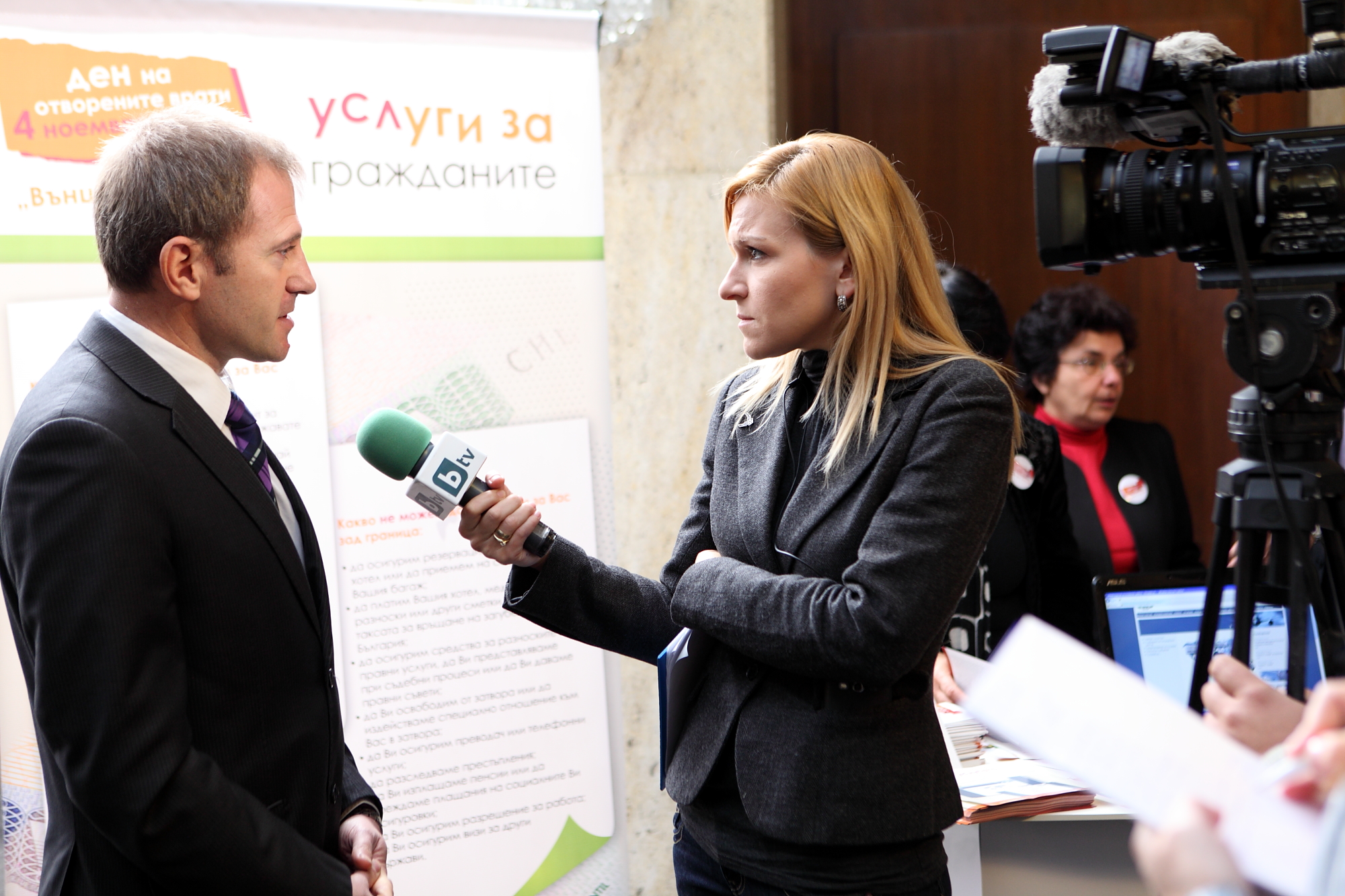
Broadcast Journalist Gabriela Naplatanova interviews on camera

As a journalism student, you’ve probably learned a lot of different techniques for interviewing people. Being open and friendly, putting the interviewee at ease, asking the important questions even if they’re difficult—these are all good tips. But not every technique works in every situation. It’s important to learn how to quickly size up a situation—and a person—so you can determine the best way to proceed.

Watch Body Language

Depending on the situation, your subject may be open and friendly, or closed-off and uncommunicative. Sometimes body language is easy to read, but some individuals have great poker faces.

In general, you should watch for abrupt changes in body language. A person who suddenly breaks eye contact or looks away may be hiding something. If possible, you should try to make small talk about things unrelated to the interview’s topic for a few minutes before getting down to business. This lets you see what gestures, facial expressions, and tone and pitch of voice are normal for the interviewee, so you can be aware if there’s a big change.

Breaking the Ice is a Good Idea for Other Reasons, Too

Aside from granting more insight into the individual’s normal body language, chitchat can have other benefits. You may not always have time to talk about the weather or your subject’s favorite sports team, but if you do, it’s usually time well spent. Chatting about something relatively inconsequential can help put the subject at ease. It also allows you to establish rapport, and helps the subject see you as a human being rather than a scary person with a camera.

You don’t have to stick to the weather—in fact, it’s best if you can talk about something the subject finds interesting. Look around the person’s office or home for clues—sports memorabilia, movie posters, etc. People often open up when you ask about subjects that most interest them. Once they feel comfortable with you, it will be much easier to quiz them about other topics.

Again, it’s important to read the situation. If your subject seems impatient, answers all your small-talk questions with one-word answers, or suggests that he or she is in a hurry, it’s probably best to move on to the actual interview.

What If the Subject Doesn’t Want to Open Up?

What do you do when the individual at the center of a big news story won’t talk to you? Continuing to badger the person is generally a bad idea. The more you irritate people, the less they’re going to want to talk to you.

Instead, interview other involved parties. Keep going until you find someone close to the story who’s willing to talk—an employee, a friend, a coworker, etc. However, you should remember that people willing to talk to you about a big scandal may have an ax to grind, so it’s essential to fact-check their answers.

After you’ve spoken to others, another technique is to tell the person you really want to interview that you’d like their comments on X thing that Y said. Be specific enough to concern them, but vague enough that they have to ask you for clarification. For example: “I know you said you didn’t want to talk to the media about this issue, and I respect that, but I’d like to give you the chance to respond to your assistant Bob Jones’ comments about your campaign funding sources. If you’re interested in telling your side of the story, call me at….”

A word of caution: Don’t tell subjects you’re going to help rehab their image or make them look good—that’s a lawsuit waiting to happen, not to mention highly unethical and an example of media bias. As a reporter, your goal is to find and report the truth in the most unbiased way possible.

Do assure the subject that you want to examine both sides of the story. This may discourage people who are hiding something from granting an interview, but it can also get great stories out of people who are simply scared or feel they haven’t been accurately portrayed by the media. You can’t/shouldn’t promise someone good publicity, but you can assure the person you’ll make every effort to quote him or her accurately (which is something you should do anyway).

Asking the Hard Questions

Sometimes it can be intimidating to ask an interview subject, especially a powerful or well-known individual, difficult questions, especially ones that involve allegations of illegal or unethical behavior. Even if you don’t feel intimidated, it’s important to tread carefully—your boss will not be happy if you start making baseless accusations and ticking people off.

Here are some tips:

  • Prepare for the interview by thoroughly checking out the information you’ve received, and considering the source. If at all possible, fact-check the story yourself. If you’ve received allegations about a criminal activity, ask the source if he or she has reported the crime, and if not, why? If the source isn’t available for comment, you may want to check with your station’s legal department or counsel, if it has one, before venturing further.
  • When you interview the subject, be specific and explain the source of your information. If it’s an anonymous source, say just that—it’s better than letting the subject think you’re just pulling ideas from thin air. “Mr. Mayor, we received an anonymous tip from someone claiming to be one of your campaign staffers. This person says you wrote checks out of the campaign fund for personal items, including a $500 barbecue for your backyard. How do you respond to that?”
  • Don’t argue with the subject or accuse him or her of lying. Do reiterate what the person said and ask if you’re understanding the answer. “So you’re saying that you never purchased a $500 barbecue out of your campaign account? Is that right?”
  • If you have evidence the person is lying, follow up with another question asking for clarification. “Then how do you explain this copy of a canceled check on your campaign account for $500 to Joe’s Barbecues? Is that your signature?”
  • Remain calm and professional, even if the subject gets angry and starts yelling. Never get angry and start yelling back. Simply repeat your question in a calm manner.
  • You may hear something along the lines of, “You’re trying to make me look bad!” A good comeback is, “I’m just trying to gather the facts. I asked you a simple yes-or-no question. Did you sign the check or not?”
  • But don’t apologize either. Your job is to ask questions. If the subject really doesn’t want to answer, he or she can simply say, “No comment.” Yelling at a reporter for asking a question makes the interviewee look bad, not you.
  • If someone tries to duck a question, there is nothing wrong with saying, “That’s not what I asked,” or “You didn’t answer my question.” Then repeat the question.g

[su_note]Learn more about the School of Broadcast Journalism at the New York Film Academy by clicking here.[/su_note]

The Pros And Cons Of Developing For Today’s Top Game Markets

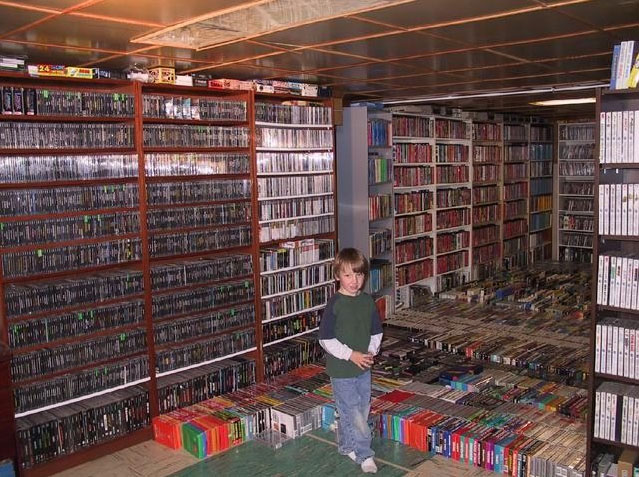
Video game collection

One of the most important decisions every development team has to make is what platform their game will be made for. Unlike a decade or two ago when there weren’t a whole lot of choices, these days there are more platforms than ever competing for gamers. And no matter how amazing your game is, making it for the wrong platform can spell disaster.

The good news is that choosing the correct platform can have the opposite effect. Few would argue that Rovio Entertainment isn’t very happy that they put Angry Birds on mobile instead of consoles or PC. That is why it’s important to study the state of every market today in hopes of predicting where your game will receive the most attention. This is of course easier said than done but not impossible!

Mobile (iOS, Android)

The Good: Massive Potential Audience

A lot of video game developers are trying their luck in the mobile game market for one simple reason—it’s huge and still growing. Everywhere you look someone has a smartphone, which means a potential buyer for your game. This is why big game companies like Konami and Bethesda are showing more and more interest in this market. Even Nintendo is finally making the jump!

Video game characters on a mobile device

The Bad: Tons of Competition

With hundreds of new games releasing every day on the App Store and other mobile platforms, your game will have plenty of competition no matter when it is released. This means that extra work will have to be put in to get your game noticed and stay relevant. While the challenge is great, those who succeed end up having thousands (if not millions) of people downloading their title.

PC (Steam)

The Good: Easy Access

Thanks to Valve’s popular game distribution software, it has become easier than ever to release a game on PC. Steam Greenlight and Early Access have allowed plenty of small developers to gain exposure and sell tons of copies, all while receiving valuable feedback about their games. If your game is good, you won’t have trouble finding people to check it out on Steam.

Pick the next games on Steam

The Bad: Oversaturation

One of the biggest gripes people have about Steam, particularly their Greenlight program, is that it’s become easier and easier to get your game accepted. This means that if you game was greenlit to be sold on Steam, you can be sure that several dozen other games, perhaps of inferior quality, were also accepted. This has made it very difficult for team developers to keep their games relevant and at a place where people will actually discover it.

Consoles (PS4, Xbox One, Wii U, PS3, Wii, Xbox 360)

The Good: More Attention

Although Microsoft, Sony, and Nintendo have recently begun welcoming indie games with open arms, their digital game market is far from being overcrowded. This means that if your game becomes a downloadable title on Xbox Live, PlayStation Network, or the Nintendo eShop, it will receive a lot more attention than anywhere else. This is why a lot of developers who found success in other markets eventually try to port their titles to consoles.

Different controllers

The Bad: Development Challenges

If an indie game will get more attention on consoles, then why aren’t more people developing for them? The simple answer is that it’s not easy. The next time you check out a Kickstarter game campaign, take a look at how much they want for their Xbox One or PlayStation 4 stretch goal. Making a game for consoles is a timely, costly, and challenging task, which is why most small teams would rather take the mobile or PC route.

[su_note]Learn the skills you need to succeed as a game designer at the Game Design School at the New York Film Academy by clicking here.[/su_note]

Broadcast Journalism Jobs: Is A Control Room Job Right For You?

television studio

Last week we talked about the pros and cons of on-air careers. While many people want to be in front of the camera, others prefer a behind-the-scenes job. This week we’ll discuss working in the control room or studio of a broadcast organization.

Control Room Or Production Jobs

TV and radio stations employ a variety of people to work in technical positions. A Production Assistant position is a classic entry level job. A PA is usually assigned to take care of  the many small, detail-oriented tasks that are essential to a successful program: distributing scripts, tracking down story elements (graphics, footage), and generally assisting the Show Producer in an always hectic production environment. That can mean everything from getting the anchor a bottle of water, to timing a news package and communicating its “out cue” to the director.

Production assistant jobs usually don’t have high starting salaries, but they allow you to get your foot in the door and make contacts at a TV or radio station, even if you have no previous experience. For this reason, and because production assistant jobs are often part-time, this is an ideal job for a student studying journalism. It’s also good for a recent graduate who is unable to find another job in the field due to inexperience. You’ll learn about how a TV station works, and may be able to find a mentor for the job you want to have later. If you’re not sure what you want to do, working on a news set can help you figure it out.

Camera Operators run TV studio cameras during live shows. In addition to setting up each shot, they give visual cues to the anchors using hand signals. They take direction from the Technical Director, who gives instructions via headset. Camera operators have to pay attention, even if they have static shots that don’t change often—if something goes wrong in the control room, they may be told to make a quick move with the camera to accommodate a sudden change. For example, if a graphic is wrong, you may need to quickly adjust the camera so the anchor is centered, while the director removes the incorrect graphic to the anchor’s right or left side.

Audio or Sound Board Operators control the audio during a live broadcast. In addition to the anchors’ mics, they also handle the audio for packages, other video, theme music, and live shots. Turning microphones and other sound sources on at the right time and off at the right time are equally important, and you may be doing both almost simultaneously. This job requires good concentration—if you get distracted watching the a package and forget to turn the anchor’s mic on after it concludes, viewers are going to see a talking head with no sound. Worse, if you forget to turn off the anchor’s mic while the package runs, viewers might hear him asking if his tie is straight over the package audio. Understandably, this position can be stressful and is not for everyone, but some people enjoy the fast pace and the challenge of juggling multiple audio sources.

Graphics Operators create the show’s graphics (sometimes called keys, CG, tickers, etc.) and ensure they are available for the director to use at the appropriate time during a live broadcast. This person needs to have good technical skills and specialized training for the type of software the station uses, although some stations will train the right person. Good spelling/grammar skills and attention to detail are also essential.

TV stations used to employ Tape Deck Operators, but most broadcasters have moved to digital video. Usually, one person (whose title may vary from production assistant to digital video coordinator) is assigned to run the computer where all the videos are stored. The videos are put in order of their use during the show with video management software, and the person handling this job ensures the right video is available where and when the director expects to find it.

Often it is the Technical Director who runs the studio cameras from the Control Room. The TD responds to the Director’s commands, and puts online the specific studio shots, graphics and footage the Director calls for, using a piece of equipment called a production switcher. This complicated piece of equipment is the interface between literally dozens of video sources and the “on-air feed” that goes out to viewers.

The director job requires someone with the right temperament. If something goes wrong and you start yelling at people or arguing about whose fault it was, you will quickly turn one mistake into a string or mistakes. Fix the problem to the best of your ability, and deal with any disciplinary issues after the show is over. This is also a fast-paced and potentially stressful position, but can be enjoyable for people who like to do something different every day, as no two shows are ever exactly alike.

Some stations also employ Teleprompter Operators to run the prompter while the anchor reads. Again, you have to pay attention and learn to keep pace with how fast he or she reads. Not all stations hire for this position—some require anchors to run their own prompters, while others consider running the prompter a production assistant duty. In some stations, camera operators will take turns running the camera or the prompter.

How To Get Started In A Production Career

Most people start out running either the prompter or a studio camera, or both. If you’re not interested in moving to the news department to pursue a producing or reporting career, you may want to continue in the production department.

Assuming you do well running a camera, you may be able to move up to audio or graphics. If you think you’d like to make graphics, you might ask the graphics operator if you can watch him or her prepare the graphics before the show. (Camera operators often have some downtime between shows—just make sure the studio is properly set up before you do anything else.) After several years of experience, audio and graphics operators who have proven they work well under pressure are sometimes promoted to technical director.

If you think a production career might be right for you, the best skill you can cultivate is keeping your cool under pressure. Learn to focus on solving a problem before assigning blame.

It’s also important to understand that, as with on-air careers, working in production is not for everyone. Some people find the fast pace and rapid changes too stressful, and that’s okay. There are other behind-the-scenes careers in broadcast journalism, which we’ll discuss in a later article.

The Best Places For Actors To Be Seen In LA

Networking event

Paparazzi, autograph hounds, and Hollywood socialites flock to the busy, over-priced clubs and bars on the Sunset Strip in hopes of meeting a famous face but that’s not what this article is about. In the film industry, networking is an important part of advancing one’s career, especially if you are an actor. Now, for the actor, networking means to build relationships with working industry professionals with whom you may work in the future. Simply put, the more people you know, the more friendships you can create, the wider your net becomes, and the more likely you are to land work.

Where to Network in LA

Here are some ideas of places to meet other artists, filmmakers, writers, and maybe even a future studio chief.

Acting Classes and Workshops

At an acting class, actors have the chance to meet and work with other actors while improving at the craft of acting. Many agents, casting directors and acting teachers offer classes workshops regularly. Enrolling in a good acting class is one of the first things that all LA actors should do. Be sure to do your research before committing to any course because scams abound in Hollywood. Reputable institutions like the New York Film Academy and teachers with proven track records are good places to start in your search for the right arena of study.

Auditions and Casting Calls

What better place to network than in the casting room with a director or CD? It seems so obvious, but many actors forget that one of the best places to be seen is at film and theater auditions because you have the opportunity to converse and show what you can do. Attending auditions regularly keeps the skills fresh, gets your name and face out into the industry, and is the only proven way to get more acting jobs.

Agents do some of the work for more established actors, but part of the responsibility still falls on the actor. Scour audition callboards like LA Actors Circle Facebook page and Backstage to find applicable roles, apply, and audition. You never know who you might meet in the room!

Networking Events

You aren’t the only LA actor looking for networking opportunities, and that hasn’t gone unnoticed. There are tons of pre-scheduled networking events put on by various organizations that are meant to connect industry professionals with others who work in entertainment. The trick is to find the events that suit your needs.

Ideas of places to learn about networking events are local Facebook groups, alumni groups, and union web pages including SAG and AEA. These are more formal events and everyone goes for the purposes of meeting people, but act professionally and seek friendships rather than being a rapid-fire resume-handing machine.

The Theater

“I regard the theater as the greatest of all the art forms.” – Oscar Wilde

Mr. Wilde was perhaps the most prolific English writer of his time and his plays are still produced the world around and his quotes are famous for their quips of wisdom. In terms of networking, the theater is an excellent place to meet actors and directors because there is so many crossovers between the theater and film communities. Additionally, the theater can be more accessible to aspiring actors because of the many ways to get involved.

Most theaters have volunteer ushers who receive free tickets in exchange for help with seating patrons. As mentioned above, acting and auditioning in the theater is a great way to meet new artists, but just attending and talking with other audience members can lead to new industry relationships.

Los Angeles is a big city but don’t let the daunting size and stop you from networking as an actor. Start small, build a core group of friends and co-workers, and expand from there. Eventually, as you advance in your career, networking will become much easier and a natural part of life as an actor.

[su_note]Learn more about the School of Acting at the New York Film Academy by clicking here.[/su_note]