1-Week Visual Effects Workshop

1-Week Visual Effects Workshop

Learn How To Make Visual Effects at NYFA

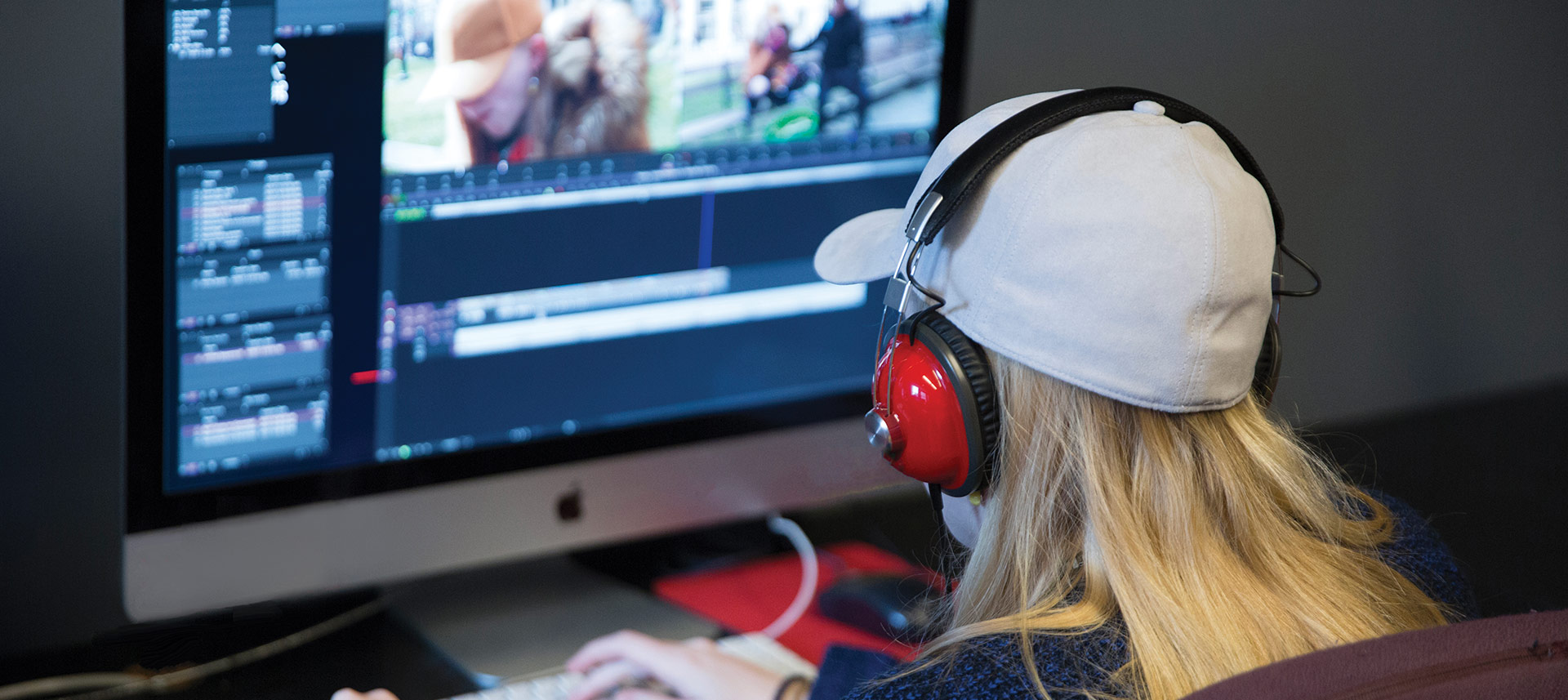
The 1-Week Visual Effects Workshop is an intensive hands-on exploration of Adobe After Effects, a digital visual effects, motion graphics, and compositing application. This workshop, held at our NYFA Florence campus, introduces students to the tools and skills necessary to create impressive visual effects and digital image manipulation. No prior experience is required to attend.

Workshop DescriptionWorkshop Name: 1-Week Visual Effects Workshop

In this hands-on workshop, students complete a series of specific projects, with plenty of room for exploration and experimentation. Central to NYFA’s philosophy of learning by doing, students learn the craft of visual effects through hands-on instruction and continuous practical exercises. Every day of the workshop, students can expect to be actively creating, manipulating, editing, and assessing VFX imagery. Students expand their repertoire of fundamental and advanced techniques, including keying, tracking, compositing, and animation. The program is constructed to deliver a great deal of content in just one week, and students cover topics such as:

  • COMPOSITING
    Understanding compositing fundamentals opens the door to your creativity. In this 1-Week workshop, you will learn how to combine visual elements from separate sources into single images, creating the illusion that these elements are part of the same scene.
  • 2.5D ANIMATION
    Learn the process, 2.5D animation used to make images or scenes that simulate the appearance of being three-dimensional. Students will bring still images to life by creating a false perspective and also learn how to animate cameras for creating distance parallax.
  • VISUAL EFFECTS
    Students will learn the key components of creating incredible visual effects such as camera tracking, particle systems, image masking, and more to create common cinematic effects including fire, explosions, set extensions, fog, rain, and snow, as well learn how to use color correction, look up tables, use green screen footage, animation effects, digital distortion, screen and monitor image replacement, create planets and space imagery, energy portals, and even the ability to turn people into dust clouds!

NYFA also offers the possibility to learn 3D Animation and VFX from anywhere through a variety of online 3D Animation and VFX workshops.

To learn more about NYFA’s 3D animation and visual effects workshops, see NYFA’s Course Catalog or request more information.


Read More

Alumni

Daniela Lobo Dias  

Daniela Lobo Dias

Visual Effects Artist | Director | Writer

 
More  

Please note: Equipment, curriculum, and projects are subject to change and may vary depending on location. Students should consult the most recently published campus catalog for the most up-to-date curriculum.

2-Day Filmmaking Workshop

2-Day Filmmaking Workshop

2-Day Film Workshop in Florence, Italy

The 2-Day Filmmaking Workshop in Florence, Italy is an intensive, hands-on film class that provides a strong introduction to filmmaking. Students learn a great amount in a very short time, rapidly running through the basics of writing, directing and cinematography.

Workshop DescriptionWorkshop Name: 2-Day Filmmaking Workshop

NYFA’s 2-Day Filmmaking Workshop covers the basic elements of the filmmaking craft. Throughout the workshop, students undergo an intensive study in camerawork, writing, directing and screenwriting, as well as story development, directing, and pre-production.

The workshop is designed for students interested in exploring the possibilities of filmmaking. To learn more, see NYFA’s Course Catalog.

NYFA also offers the possibility to learn filmmaking from anywhere through a variety of online filmmaking workshops.

CLASS DETAILS

Directing
At the core of the Four Week Program, this Area of Study introduces students to all major aspects of filmmaking. Students will learn concepts to help achieve maximum psychological impact by studying the director’s decisions in camera placement, blocking, staging, and visual image design. Students will be challenged to think comprehensively about their film projects in terms of the economic realities of low-budget student production. Using their own film projects as prototypes, students will learn to break down their film scripts in terms of story and emotional beats, shot selection and composition, and budgeting and scheduling. This Area of Study will be the forum for preparing, screening, and critiquing three short films.

Screenwriting
This Area of Study introduces the established tools and language used in writing a film project. Students will take a story from the initial idea to script with an emphasis on the fundamentals of visual storytelling. The intersection of story structure, theme, character, tension, and conflict is examined through detailed scene analysis. The in-class discussion provides students with constructive analysis and support. Students are encouraged to tell their stories visually, rather than relying on dialogue.

Cinematography
Students undergo intensive training in the use of HD digital video cameras and their accessories. Through hands-on workshops and film tests, they will also learn fundamental lighting techniques. As they progress through the workshop, they learn how to support the mood of the story with lighting choices and  experiment with expressive lighting styles.  

Read More

TIMES AND BREAKDOWN BY WEEK

This hands-on program is an immersive, two-day workshop with full-time hours. Times may vary. Please request information for more details.

PROGRAM AND SOFTWARE REQUIREMENTS

This course requires the following software and equipment:

  • External hard drive (costs $30-$200)
  • An SD Card

Film School
Alumni

Manuel Garcia-Rulfo  

Manuel Garcia-Rulfo

Actor

 
Tracy Oliver  

Tracy Oliver

Filmmaker

 
Lucy Luna  

Lucy Luna

Screenwriter | Director

 
More  

Please note: Equipment, curriculum, and projects are subject to change and may vary depending on location. Students should consult the most recently published campus catalog for the most up-to-date curriculum.
2-Day Directing Workshop

2-Day Directing Workshop

Weekend Directing Workshops at NYFA

During NYFA’s 2-Day Directing Workshop, students learn how to craft a compelling audience experience. In this weekend filmmaking workshop, students are taught by working industry professionals, learning the essentials of directorial style.

Workshop DescriptionWorkshop Name: 2-Day Directing Master Class

NYFA’s 2-Day Directing Workshop gives students an introduction to directing for film. During the workshop, students get an overview of Story Development, Director’s Craft 1 & 2, Creating Visual Style (Cinematography), Directing Actors, and Running a Pre Pro Meeting.

NYFA also offers the possibility to learn filmmaking from anywhere through a variety of online filmmaking workshops.

To learn more, see NYFA’s Course Catalog.

CLASS DETAILS

Directing
At the core of the Four Week Program, this Area of Study introduces students to all major aspects of filmmaking. Students will learn concepts to help achieve maximum psychological impact by studying the director’s decisions in camera placement, blocking, staging, and visual image design. Students will be challenged to think comprehensively about their film projects in terms of the economic realities of low-budget student production. Using their own film projects as prototypes, students will learn to break down their film scripts in terms of story and emotional beats, shot selection and composition, and budgeting and scheduling. This Area of Study will be the forum for preparing, screening, and critiquing three short films.

Screenwriting
This Area of Study introduces the established tools and language used in writing a film project. Students will take a story from the initial idea to script with an emphasis on the fundamentals of visual storytelling. The intersection of story structure, theme, character, tension, and conflict is examined through detailed scene analysis. The in-class discussion provides students with constructive analysis and support. Students are encouraged to tell their stories visually, rather than relying on dialogue.

Cinematography
Students undergo intensive training in the use of HD digital video cameras and their accessories. Through hands-on workshops and film tests, they will also learn fundamental lighting techniques. As they progress through the workshop, they learn how to support the mood of the story with lighting choices and  experiment with expressive lighting styles. 

Read More

TIMES AND BREAKDOWN BY WEEK

This hands-on program is an immersive, two-day weekend workshop with full-time hours. Times may vary. Request information to learn more.

PROGRAM AND SOFTWARE REQUIREMENTS

This course requires the following software and equipment:

  • External hard drive (costs $30-$200)
  • An SD Card

Film School
Alumni

Tracy Oliver  

Tracy Oliver

Filmmaker

 
Jonathan Jakubowicz  

Jonathan Jakubowicz

Filmmaker

 
Lucy Luna  

Lucy Luna

Screenwriter | Director

 
More  

Please note: Equipment, curriculum, and projects are subject to change and may vary depending on location. Students should consult the most recently published campus catalog for the most up-to-date curriculum.

2-Day Online Line Producing Workshop

2-Day Online Line Producing Workshop

Learn How To Produce Content at NYFA

Learn the nuts and bolts of Line Producing in a hands-on, immersive 2-Day Online Line Producing Workshop. All the key elements of production management for film, television, and new media projects are included. Participants will use the latest editions of industry-standard Movie Magic Scheduling and Movie Magic Budgeting software to create their own film budget and stripboard schedule. Workshop instruction begins with a full description of the job requirements and responsibilities of a Line Producer.

Workshop DescriptionWorkshop Name: 2-Day Online Line Producing Workshop

Whether learning these skills for the first time or seeking to brush up on the latest software and production management techniques, this workshop will equip participants with the tools and knowledge to help line producers pursue their passion.

Additional instruction will include the creation of call sheets, production reports, and time cards, as well as how to properly handle insurance, overtime, set operations, crew hiring, union and vendor interaction, and the importance of tax credits and production incentives.

Participants will then create a budget using Movie Magic Budgeting software. During this process, they will gain an understanding of the following facets of Line Producing:

  • Units of pay
  • Fringe benefits
  • The role of contingency
  • The importance of the top sheet

Prerequisites – This is an introductory workshop, no prerequisites are required, nor is any prior experience expected.

To learn more, request more information.

Times and Breakdown by Week

The workshop is offered on the weekend, both Saturday and Sunday. There are two classes each day:

  • 10 a.m. – 1 p.m.
  • 2 p.m. – 5 p.m.

Program and Software Requirements

This course requires the following software and equipment:

  • Laptop or desktop computer
  • Movie Magic Scheduling and Movie Magic Budgeting software ($300 using NYFA student discount code, shared during the course)

Students will own the Movie Magic Scheduling and Movie Magic Budgeting software even after the course is completed.

2-Day Online Line Producing Workshop

Location Program Start Date and End Date Tuition
Online

June 6, 2026 – June 7, 2026

December 5, 2026 – December 6, 2026

Tuition and Equipment & Technology Fee

Tuition:$538

Program Duration: 2-Days

2-Day Online Avid Media Composer I

2-Day Online Avid Workshop

Learn Avid Media Composer Online at NYFA

Editors hold one of the most critical roles in the filmmaking industry, as filmmakers rely on an editor’s storytelling and digital editing skills to shape the narrative of their story in post production and to polish their films. In NYFA’s 2-day online Avid workshop, students get an introduction to the art of storytelling using Avid Media Composer.

This workshop is perfect for a range of students, from people who have no editing experience at all, to people who are looking to refine the editing skills that they already have. The digital editing workshop is beneficial to visual storytellers in entertainment and media, as Editors are not solely limited to the film industry, and also work in news, documentaries, television, and web series.

Workshop DescriptionWorkshop Name: 2-Day Avid Media Composer I

2-Day Avid Media Composer I is an introductory digital editing workshop designed to get new users up-and-running on AVID Media Composer. With step-by-step guidance in this course, students will develop the basic skills to edit a video project from start to finish while also expanding their understanding of the video editing process as a whole.

Some specific skills that students will learn in this course include:

  • the ability to create a project file
  • bringing in the source video and audio files
  • editing the sequence, adding titles, music, and basic effects
  • exporting a finished sequence

The objective of this course is to learn how to create an AVID project and create and export a 1-minute montage sequence.

To learn more about NYFA’s workshops, see NYFA’s Course Catalog or request more information.

Class Details

Avid Media Composer

Avid Media Composer is used for editing videos, commercials and other film, television, and online video. It is a comprehensive video editing software application. Media Composer is the most proven video editing software in the media and entertainment industry, trusted by professional editors in every segment of movie making, television, broadcast, and streaming video.

Creative storytelling, Be a better storyteller

The key to any great piece of content is a story. Storytelling in your video will help you to engage your audience and achieve the results you want. Stories grab at our hearts. They engage our emotions. They make us feel something for the characters, and allow us to empathize or even imagine ourselves in their place. Creativity is how you grab your audience’s attention. Students will learn on how to create engaging content using the editing software as a tool to tell their stories.

Screening and Critique

Students screen their work for instructor feedback upon completion of the assignment. Constructive feedback is based on the student’s application of technical and aesthetic principles learned during workshop hours, and on how well those techniques were used to achieve the student’s goals. The instructor is an active film professional. Instructor feedback helps students understand what they are doing well and what they could make improvements on. This practice allows students to improve and make even more engaging content.

Read More

TIMES AND BREAKDOWN

DAY 1

Introduction to AVID (Opening AVID)

  • Launching Media Composer
  • Select Project Window
  • Creating New Use Profile
  • Creating a New Project

Getting Started

  • Learning the Interface
  • Setting Up Your Project
  • Working with Bins
  • Importing/Transcoding Video and Audio Clips
  • Saving Your Work

Working with Sequences

  • Creating a New Sequence
  • Overview of Audio and Video tracks
  • Learning AVID hotkeys
  • Learning Essential Edit keys/tools

Creating a Sequence

  • Building a sequence with drag and drop
  • Building a sequence with splice – in
  • Editing Audio
  • Creating Transition Effects

DAY 2

Effects

  • Resizing a Shot
  • Color Correction
  • Stabilization
  • Keyframes
  • Nesting Effects

Freeze Frames and Motion Effects

  • Types of Motion Effects
  • Creating Freeze Frames
  • Creating Motion Effects

Creating Titles

  • Title Creation Tools
  • The Avid Title Tool
  • Create a Title
  • Edit a Title

Exporting Your Video

  • Exporting your Sequence

Technical Fundamentals

  • Fixing Technical Problems
  • Troubleshooting Missing Media Files
  • Recovering Lost Work
  • Deleting Media

Customization of AVID settings

  • Personalizing the application
Read More

PROGRAM AND SOFTWARE REQUIREMENTS

Tech Requirements

External Hard drive. 16 GM RAM minimum. 24 or higher recommended.

Recommended brands: Lacie or G-Drive

  • Avid Media Composer software. 30-day free trial available: Click Here
  • Computer or Laptop with mouse. Minimum spec requirements to run 

Avid Media Composer:

  Mac CPU Specifications

  Windows CPU Specifications

NYFA
Alumni

Valentina Rendón  

Valentina Rendón

Actor | Writer

 
Haik Gazarian  

Haik Gazarian

Writer | Director | Filmmaker

 
More  

Please note: Equipment, curriculum, and projects are subject to change and may vary depending on location. Students should consult the most recently published campus catalog for the most up-to-date curriculum.
PFC Joseph P. Dwyer Veterans Creative Arts Program

PFC Joseph P. Dwyer Veterans Creative Arts Program

About the Program

Presented by the 10 ARTS Foundation and powered by the New York Film Academy (NYFA), The PFC Joseph P. Dwyer Creative Arts Program is a free initiative designed for New York City-based veterans, active-duty service members, caregivers, and military family members. In collaboration with the NYC Department of Veteran Services, participants will engage in a series of four hands-on workshops—filmmaking, screenwriting, photography, and acting—led by industry professionals and military veterans.

This program, guided by Medal of Honor recipient Colonel Jack Jacobs and Command Sergeant Major (Ret.) Christopher Moore, Director of NYFA Veteran Services, offers a safe and inclusive environment to explore storytelling, develop creative skills, and foster meaningful peer connections.

Joseph Dwyer Veterans Peer Support Project Joseph Dwyer Veterans Peer Support Project

Apply by July 13, 2025 for the free PFC Joseph P. Dwyer Creative Arts Program!

Apply Now

A free cinematic arts workshop for NYC veterans, service members, caregivers, and families

What You’ll Gain

  • Hands-on creative arts training
  • Peer-to-peer mentorship & veteran support
  • Mental wellness through expression
  • Final screening event with networking

Creative Team Structure:
Participants will be grouped into production teams of 5 (Maximum cohort: 15 participants):

  • 2 Actors
  • 1 Director
  • 1 Cinematographer
  • 1 Screenwriter

Application deadline: July 13, 2025